Reaper User Guide
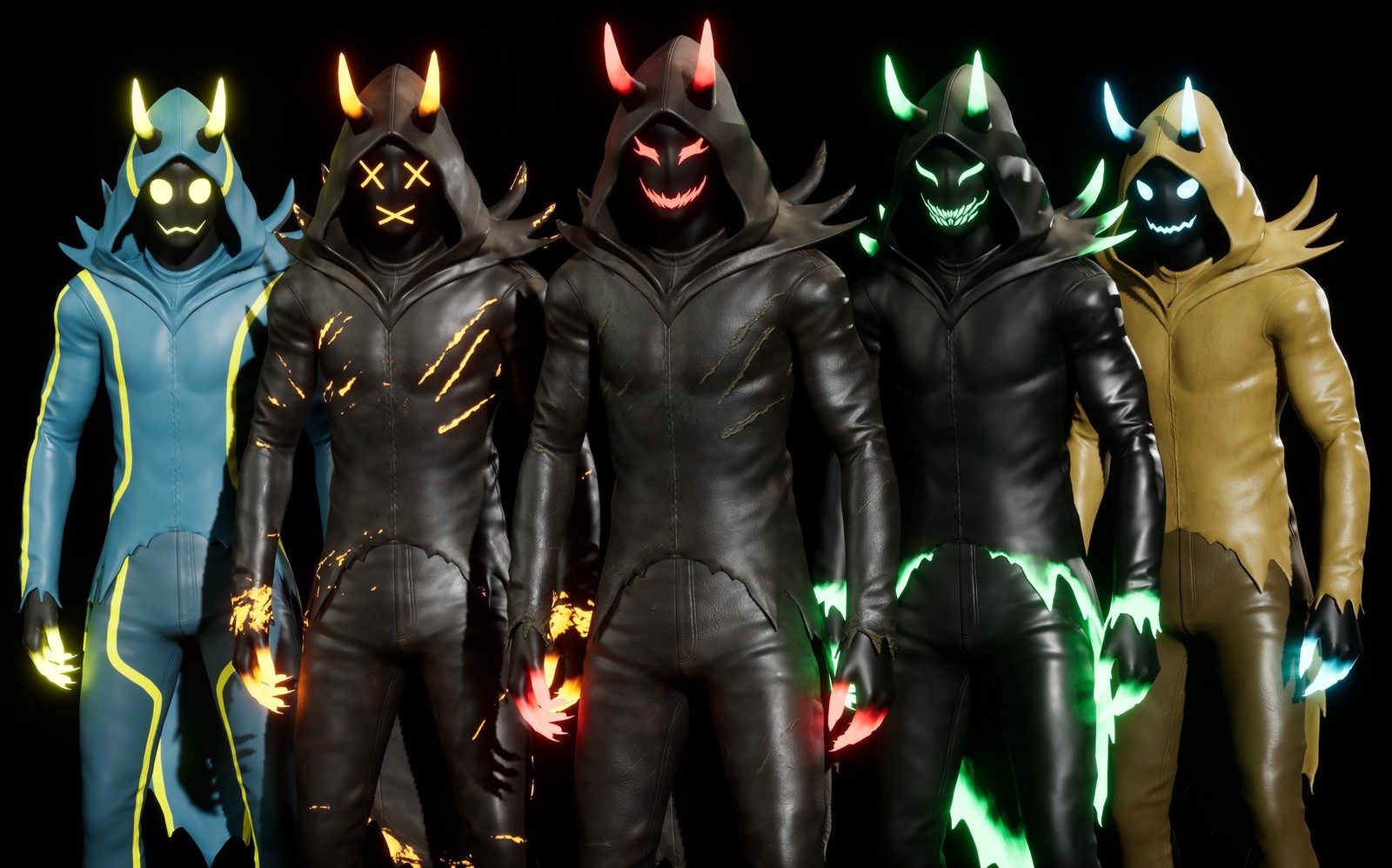
A game-ready horned reaper for Unreal Engine 5, with five colour variants and a scythe.
Quick start
- Add the Reaper to your project, or open the included UE5 project.
- The project opens on its default level, the preview map (
ReaperPreviewMapinReaperCharacter/Maps). Every version, colour and scythe is set up there to look over. - Open
Map_ReaperDemo(inReaperCharacter/Demo/Maps) and press Play to run around as the Reaper in the Third Person template level.
What is where
Everything sits in Content/ReaperCharacter, in eight folders: Animations, Blueprints, Demo, Maps, Materials, Meshes, Rigs and Textures.
| Folder | What is in it |
|---|---|
Meshes | SKM_Reaper, SKM_Reaper_Hood, SKM_Reaper_Horns, the skeleton SK_Reaper, the physics asset PA_Reaper and the scythe SM_ReaperWeapon |
Materials | Master/M_Reaper and Master/M_ReaperWeapon; Instances/MI_Reaper_V01–V05 and MI_ReaperWeapon_01–03 |
Blueprints | BP_ReaperCharacter (the playable character) and BP_ReaperPreview |
Animations | ABP_Reaper and the animations it uses |
Rigs | IK Rig, IK Retargeter and Control Rig |
Maps | ReaperPreviewMap |
Demo | The Third Person template level Map_ReaperDemo, its game mode and input |
Textures | Colour, ORM and normal maps for each variant, and the part masks |
Three versions
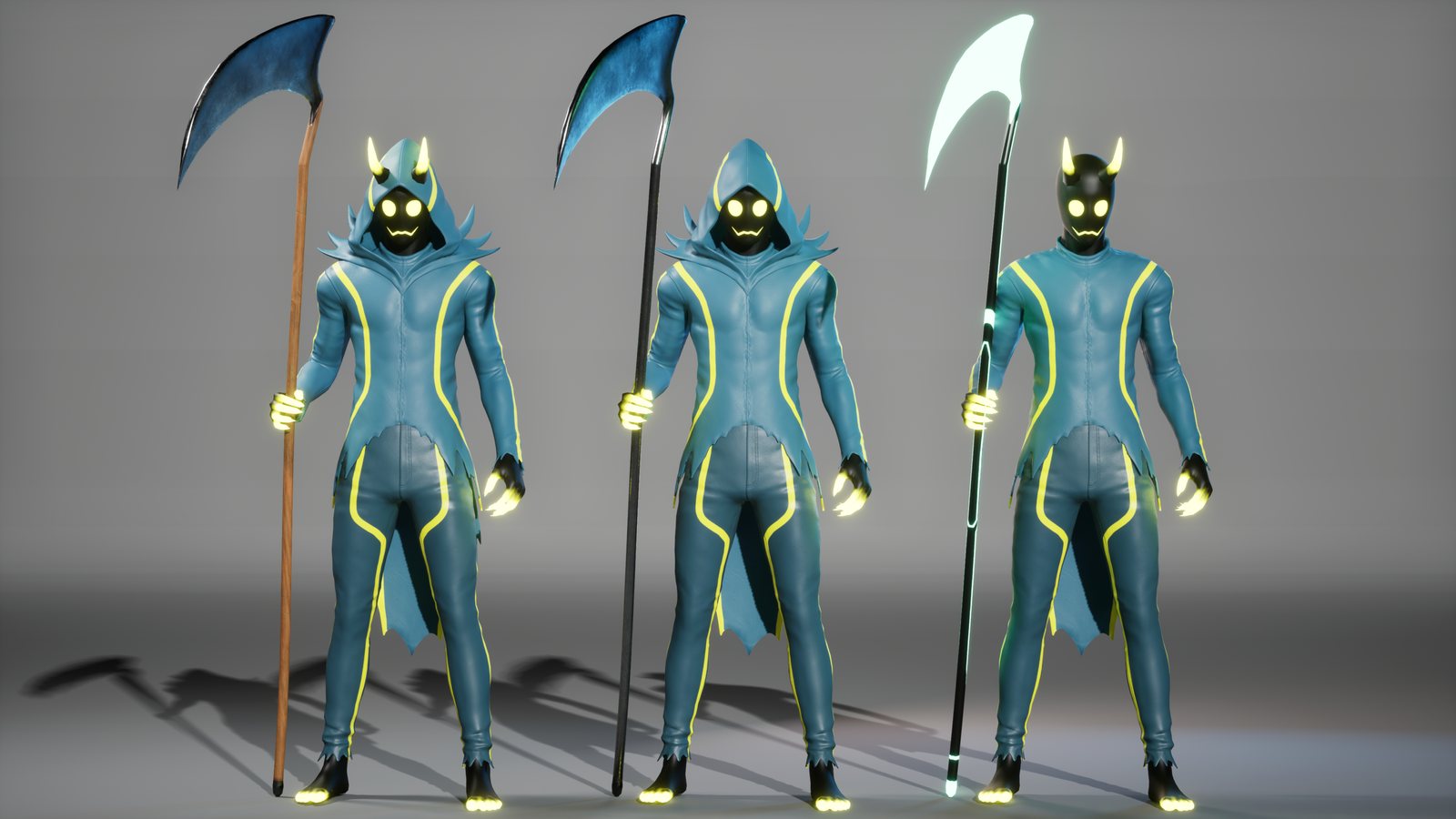
The Reaper comes as three meshes. All three share the same skeleton, materials and animations, so any colour variant works on any version.
| Mesh | Version |
|---|---|
SKM_Reaper | Full: hood and horns |
SKM_Reaper_Hood | Hood only |
SKM_Reaper_Horns | Horns only |
SKM_Reaper_Hood, green variant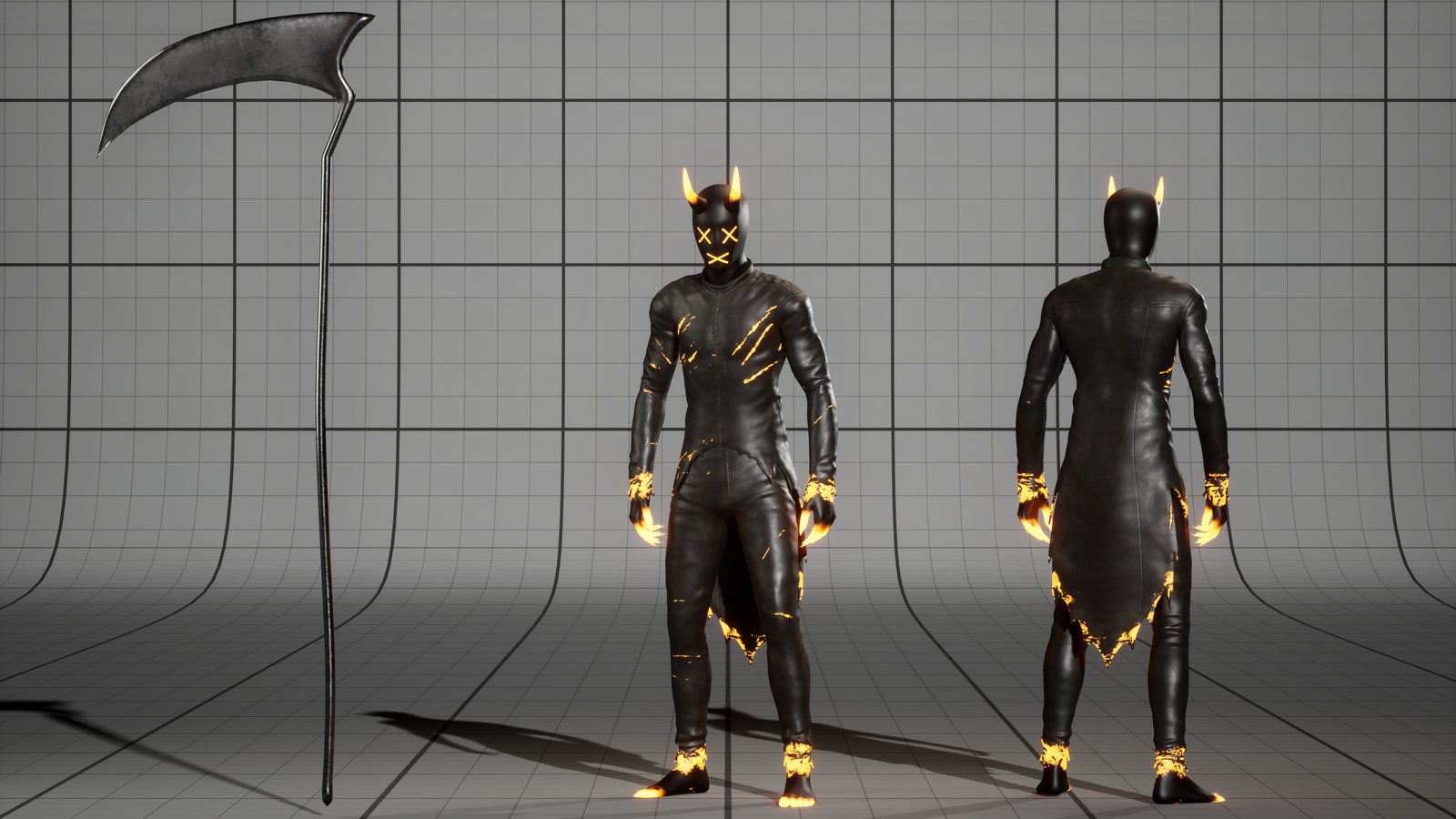
SKM_Reaper_Horns, orange variantFive colour variants
Each variant is a material instance of M_Reaper. Put it on any of the three meshes.
| Instance | Look |
|---|---|
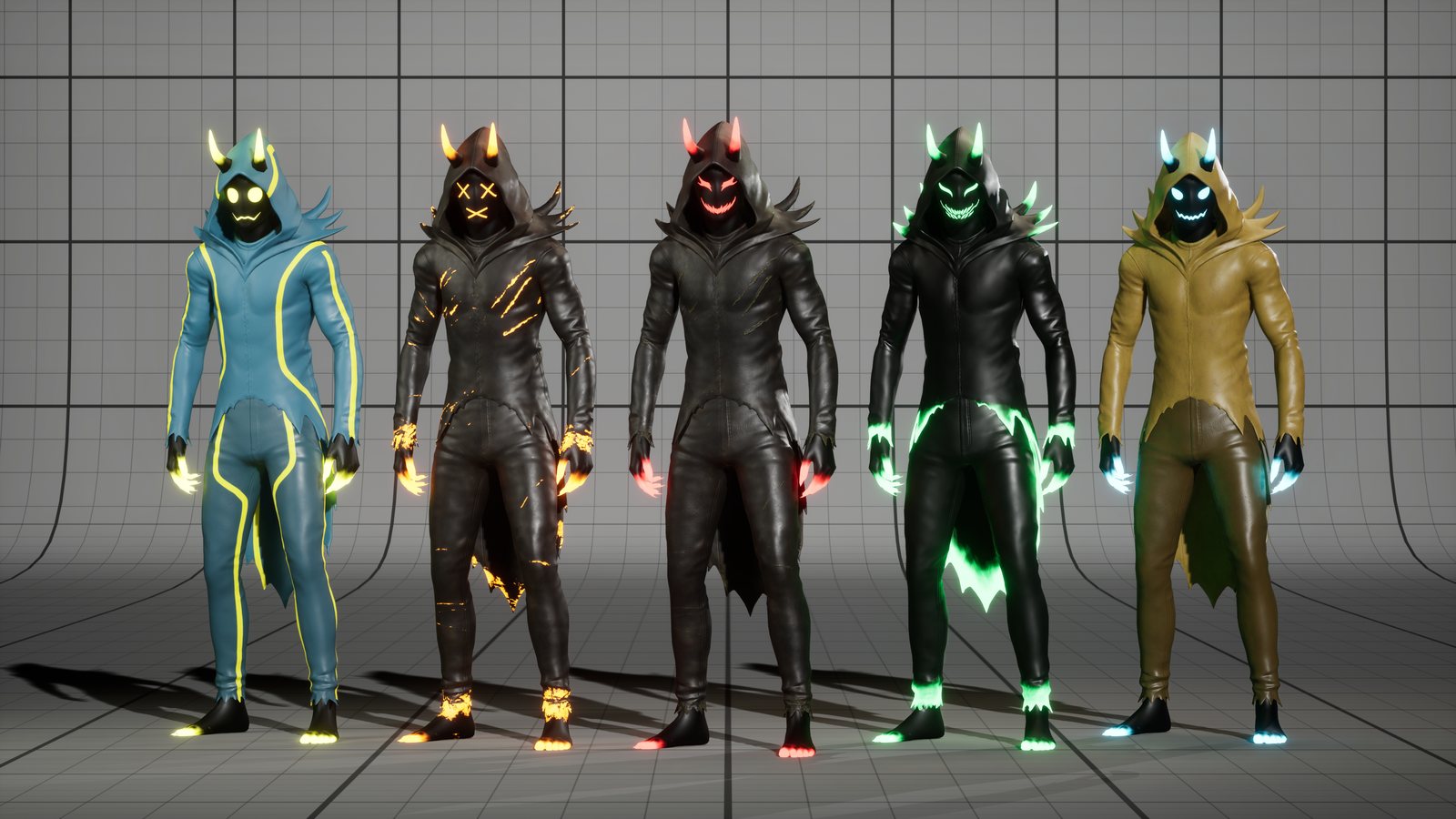
MI_Reaper_V01 | Black suit, crimson glow, grinning face |
MI_Reaper_V02 | Black suit with glowing orange scratches, X face |
MI_Reaper_V03 | Tan suit, ice-blue glow |
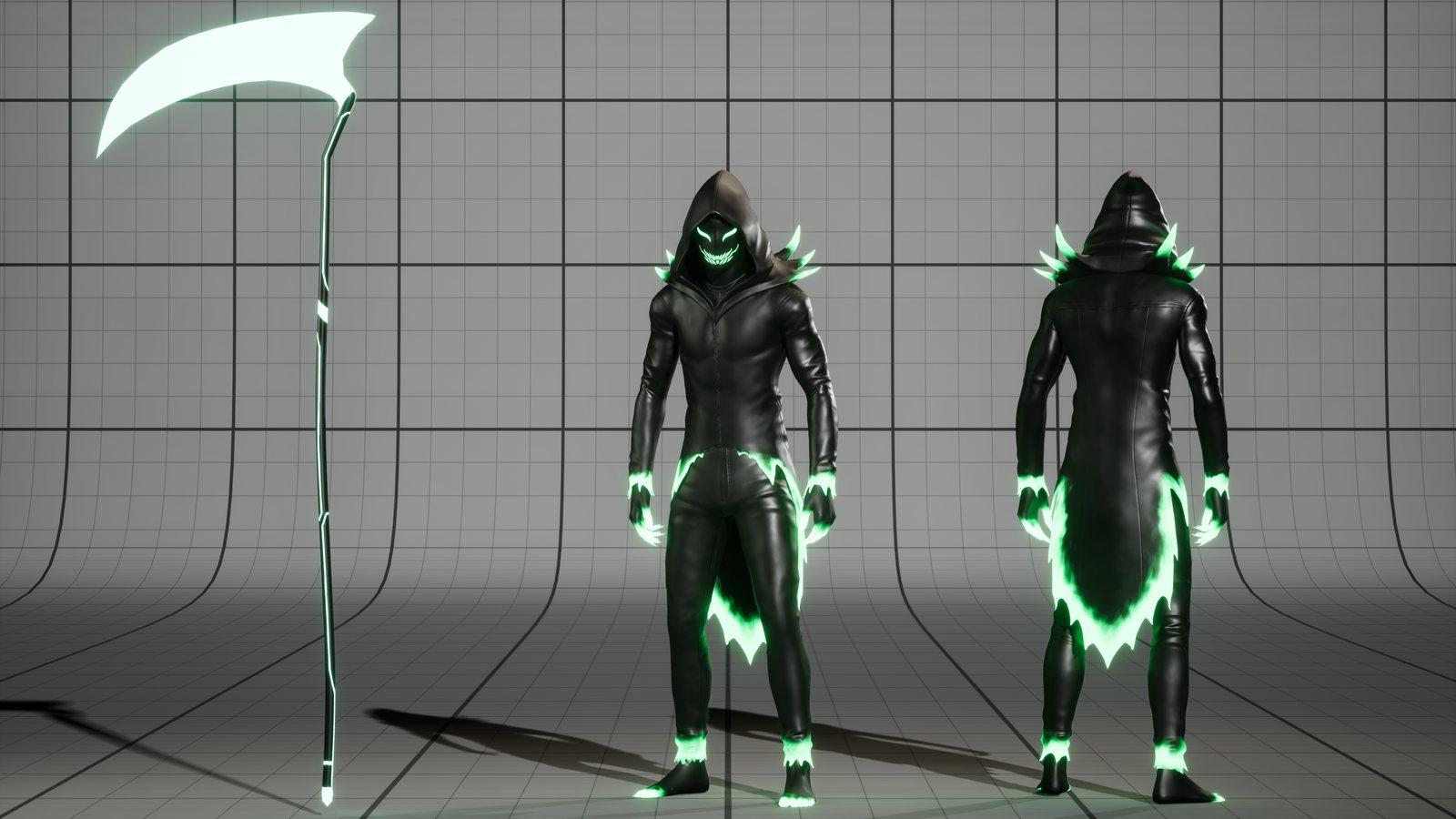
MI_Reaper_V04 | Black suit with glowing green burnt edges, toothy grin |
MI_Reaper_V05 | Blue suit with yellow trim, round yellow eyes |
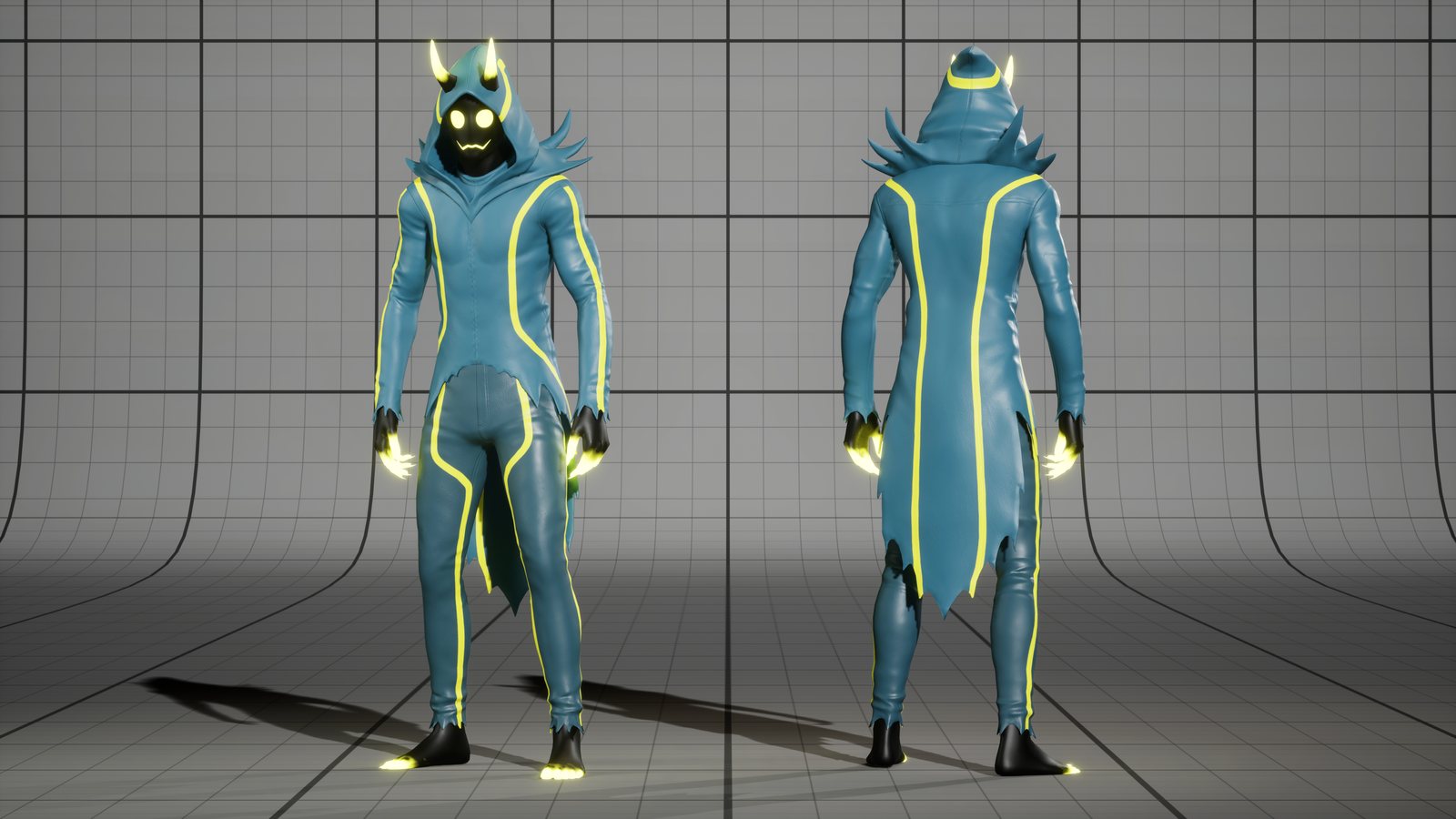
MI_Reaper_V05, front and backAdjusting materials
Open any MI_Reaper_V0x instance. The 00 Look group at the top holds the main controls:
| Parameter | What it does |
|---|---|
Glow On | Turns every glow on or off. |
Glow Brightness | Makes every glow brighter or dimmer at once. |
Glow Color | One colour for the face, horns, claws and trim, unless a part uses its own colour. |
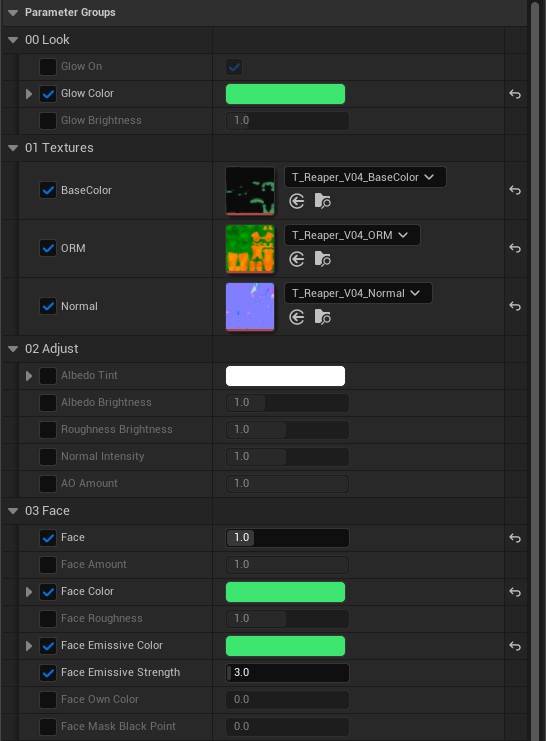
MI_Reaper_V04: 00 Look, 01 Textures, 02 Adjust and 03 Face. The part groups follow, from 04 HandsFeet to 10 Burn.Face
The 03 Face group swaps the face. Set Face to a number from 0 to 4:
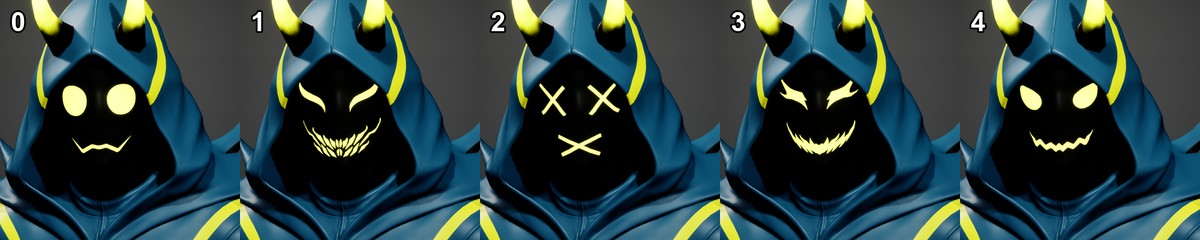
Face numbersThe other sliders in the group apply to whichever face is showing.
Parts
Every part has its own group: face, hands and feet (claws), horns, hood, pants, shirt, and the scratch and burn effects. Every group except Face also has a mask. Each group has these sliders:
Amount,ColorandRoughness: how strongly the part shows, its colour and its shine.Emissive ColorandEmissive Strength: the part's glow. A strength of0means no glow.Own Color: set to1to give the part its own colours instead of Glow Color.
The scratch and burn effects are switched on with Use Scratch Mask and Use Burn Mask.
The claws and the horn tips are on by default. To get plain black claws or horns, untick Use HandsFeet Mask or Use Horns Mask.
To stop the glow, untick Glow On in 00 Look. The parts keep their colour but no longer glow.
To change one of these switches, tick the box next to its name, then untick the box on the right to switch it off. When a mask is off, its other sliders are hidden.
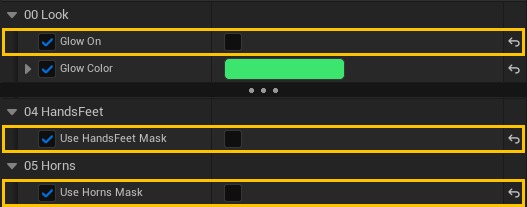
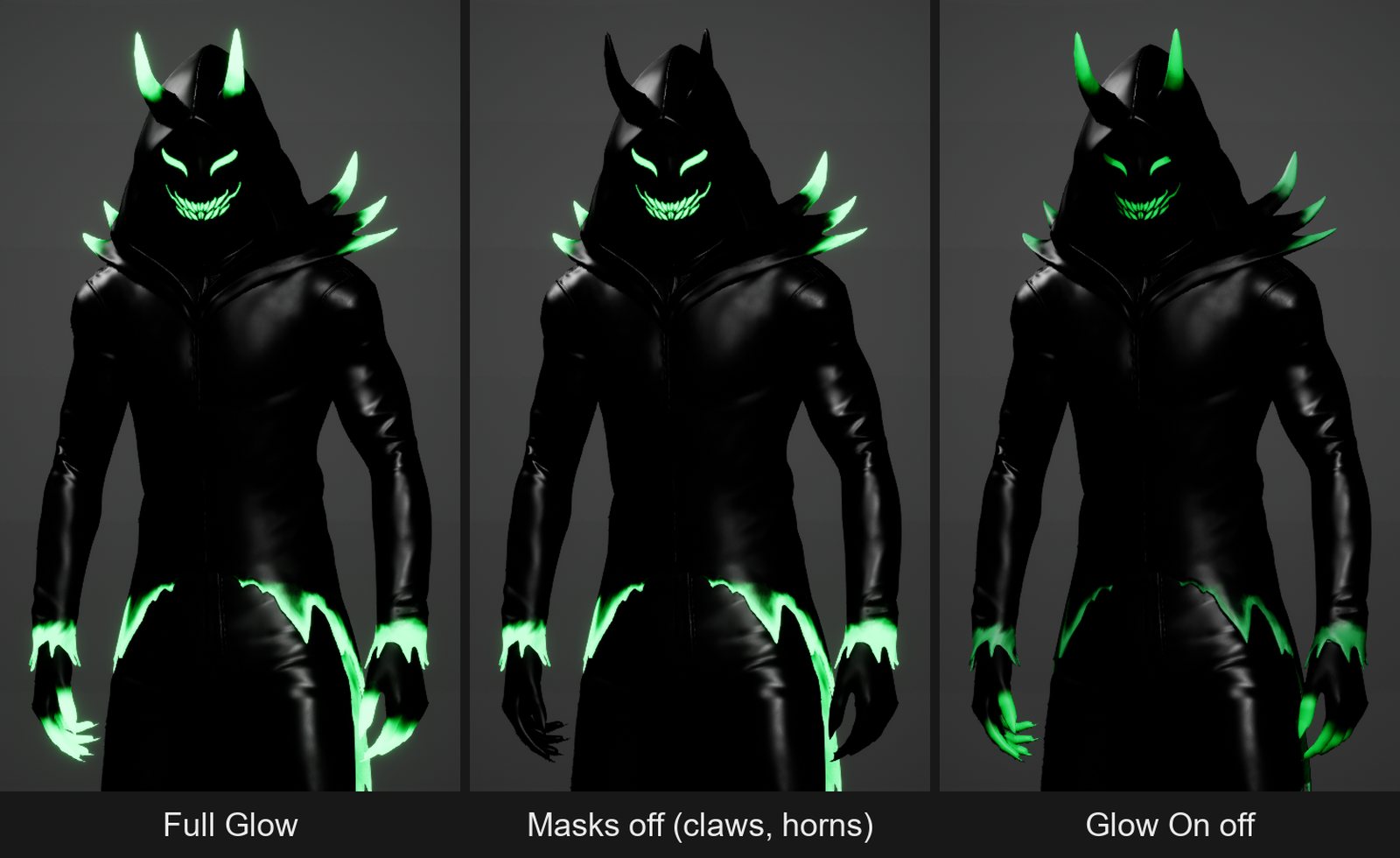
MI_Reaper_V04: full glow, with the claw and horn masks off, and with Glow On offTextures
The 01 Textures group holds the colour, ORM and normal maps. The 02 Adjust group tunes them: Albedo Tint, Albedo Brightness, Roughness Brightness, Normal Intensity and AO Amount.
The scythe
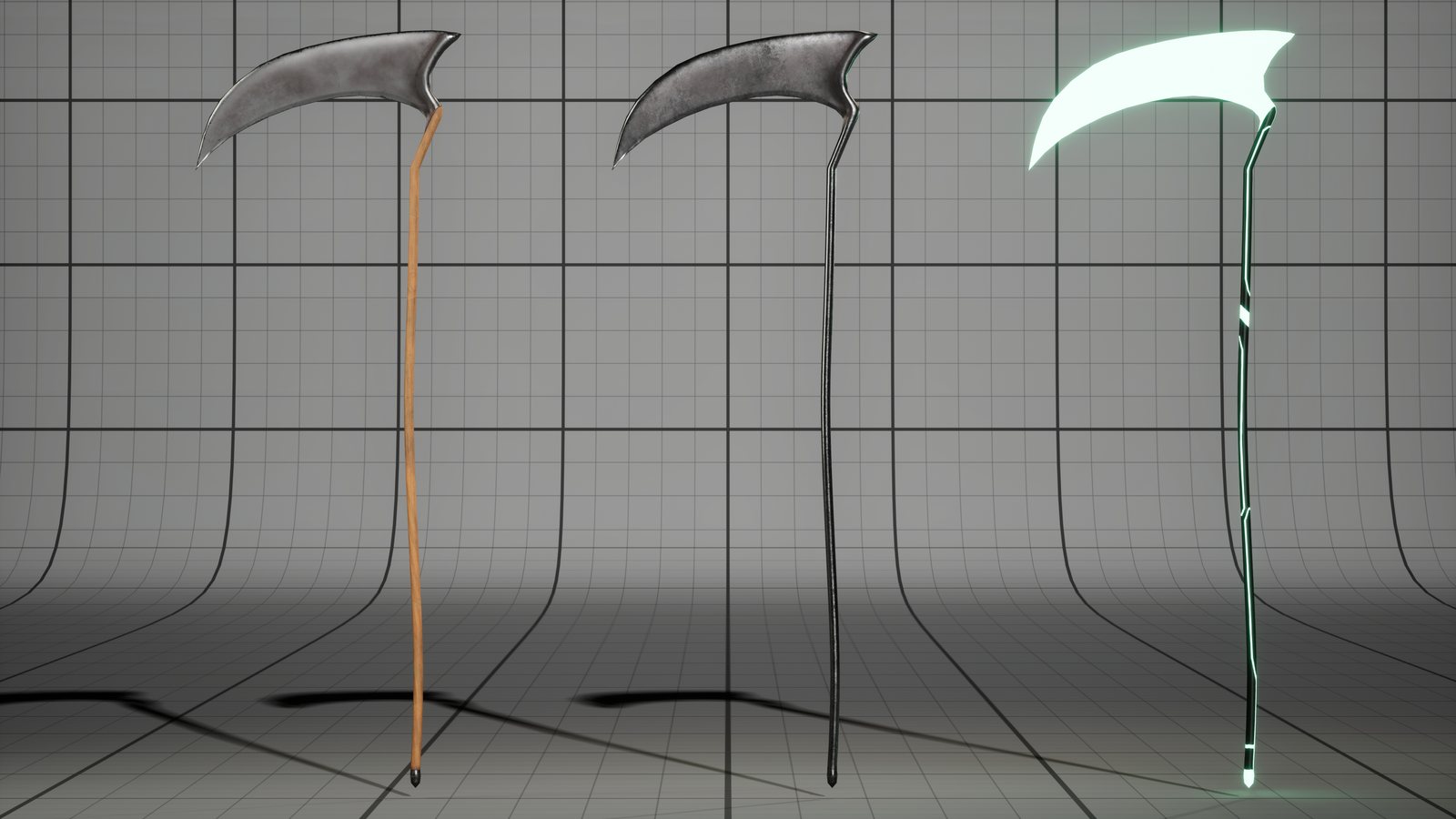
SM_ReaperWeapon comes with three looks: MI_ReaperWeapon_01 (wooden shaft), _02 (dark metal) and _03 (glowing green). In M_ReaperWeapon you can change the blade and handle colour and roughness separately, and the glow colour and strength.
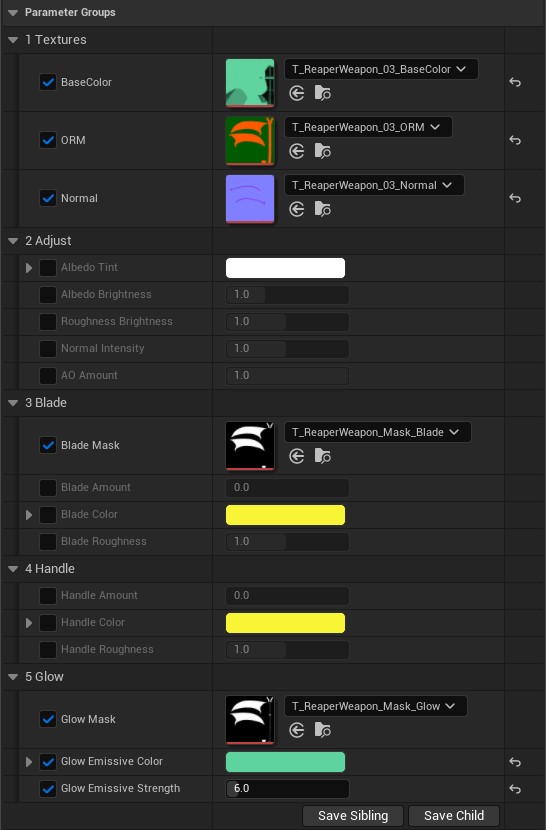
MI_ReaperWeapon_03: separate Blade, Handle and Glow groupsThe scythe is a separate static mesh. Attach it to the weapon_r bone to put it in the Reaper's hand.
Skeleton and animation
SK_Reaper has the same 161 bones as the UE5 Mannequin, so Mannequin animations play on the Reaper. BP_ReaperCharacter uses ABP_Reaper. The Control Rig plugin must be enabled; it is on by default in UE5.
Questions
Ask in our Discord or write to us through wandersols.com/contact. More characters are on wandersols.com.